Taming Defense on Mobile
Touch-friendly tips for codes, pet orders, building, and surviving nights on phone or tablet.
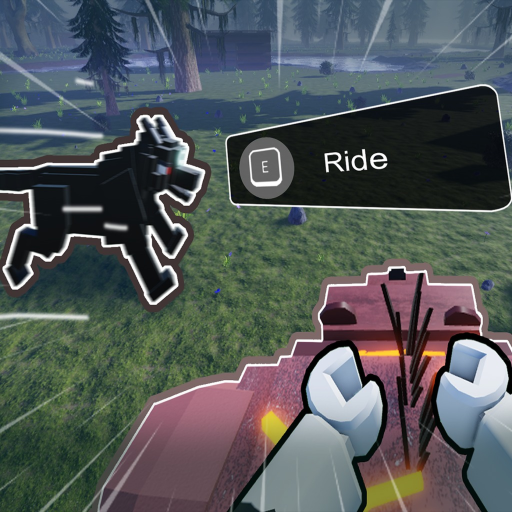
Plenty of Taming Defense players run BaseBuddies’ Roblox experience on phones and tablets. Mobile does not change the 365-day goal or Day 20 Lich schedule, but touch UI makes inventory, building snap, and pet orders easier to fumble. This tool page translates the PC key list into mobile habits and links the deep guides you still need.
Mobile vs PC — what changes
| Task | PC default | Mobile habit |
|---|---|---|
| Move / camera | WASD + mouse | Joystick + drag camera |
| Inventory | B | Tap inventory icon |
| Pet menu | G | Tap pet / creature icon |
| Interact / tame | F | Tap interact prompt |
| Attack / place | M1 | Tap / hold attack |
| Pet orders | V/Q/T/U/Z | On-screen pet command buttons |
| Hotbar | 1–6 | Tap hotbar slots |
| Build rotate / snap | R / X | UI rotate and snap toggles |
Full PC reference: Controls and Controls Cheatsheet.
Redeeming codes on mobile
- Join BaseBuddies in the Roblox app.
- Launch Taming Defense on the same account.
- Tap the Redeem Code icon (usually left side).
- Paste from Notes—include the leading
!. - Confirm and check Gold / Ruby.
Active strings live on the Codes Hub. Milestone goals are tracked on Like Milestones. Avoid typing long codes by hand on a small keyboard.
Night raids on a small screen
Before sunset, zoom out enough to see the choke. Re-issue Guard through the pet UI every dusk—mobile players forget this more often because buttons hide in menus. Keep repair items on the first hotbar slots so you are not scrolling mid-breach. Night Raids has the full checklist.
Building tips for touch
Enable snap before placing long walls. Rotate pieces deliberately; accidental free-place gaps become Lich leaks. Prefer compact solo layouts from Base Building so thumbs are not chasing distant segments during raids.
Co-op on mobile
If friends play mixed PC/mobile, appoint a PC gate captain for pet micro when possible. Mobile runners can focus gather and code redeem. See Solo and Co-op.
Performance habits
Close background apps, lower graphics if nights stutter, and avoid redeeming codes on laggy connections. A delayed success toast can trick you into double-tapping Confirm—rewards still apply once per code.
First mobile session plan
- Redeem every active code from the Codes Hub using paste, not typing.
- Open Controls Cheatsheet on a browser tab while the game loads so you know which icon maps to inventory and pets.
- Build a tiny closed box before exploring (Base Building).
- Tame one pet and practice Guard from the on-screen command row (How to Tame).
- Survive three nights with the Night Raids dusk checklist before expanding the base.
- Before Day 20, read Survive The Lich and rehearse camera drag on your device.
If friends join later, switch to the role plan in Solo and Co-op instead of everyone issuing pet orders at once.
Related pages
- Controls Cheatsheet — full bind table
- How to Redeem — step detail
- How to Play — first session
- Tips and Tricks — habits
- Day Progression — calendar on the go
- Gold and Ruby — spend rewards wisely
- Tools Hub — all utilities
Mobile progress still counts toward the same 365-day goal. Treat every dusk like a PC player would: Guard pets, repair the gate, and refuse fog loot chases until dawn. Landscape tablet orientation often helps camera control during The Lich.
Frequently Asked Questions
Quick answers to the most common questions.
Can I play Taming Defense on mobile?
Yes. Launch it through the Roblox mobile app. Goals, codes, and The Lich schedule match PC; only the input method changes.
How do I redeem codes on my phone?
Join BaseBuddies, open the game, tap the Redeem Code icon, paste the full string including !, and confirm.
Are pet commands different on mobile?
Orders are the same—Follow, Attack, Guard, Stay, Select All—but you tap on-screen buttons instead of V/Q/T/U/Z keys.
Is mobile harder for Day 20?
Touch precision can make building and pet micro harder. Use compact bases and rehearse dusk Guard before The Lich arrives.