How to Redeem Taming Defense Codes
Join the group, open the redeem menu, and claim free Gold and Ruby without errors.
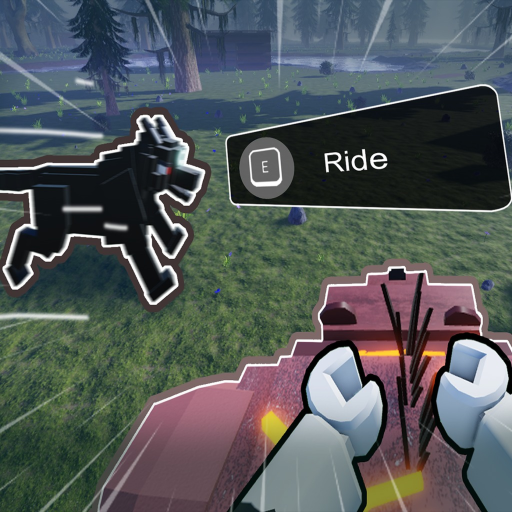
Redeeming promo codes in Taming Defense takes less than a minute once you know the requirements. BaseBuddies ties most codes to group membership, so the process starts outside the match before you ever place a wall or tame a pet. This guide walks through every step, common failure points, and what to do when a string that worked yesterday suddenly stops.
If you only need the current reward list, visit the Codes Hub first. When a code fails, cross-check Expired Codes before assuming you made a mistake.
Before you redeem
Most Taming Defense codes require two things: a Roblox account that has joined the BaseBuddies group and a fresh server session in the game. Codes apply once per account — there is no benefit to entering the same string twice.
Copy codes from a trusted source with the leading exclamation mark intact. The active strings as of our research are:
!THANK2500KLIKE— 80 Gold!SORRYFORBUG— 50 Gold!SORRYFORLATE— 50 Gold!KUTCHAWANTS2PLAYZ— 100 Gold + 20 Ruby
Write them down or paste from this page. Manually retyping long codes invites typos.
Step-by-step redemption
1. Join the BaseBuddies group
Open Roblox and search for the BaseBuddies group created by the Taming Defense developers. Click Join Group and wait for confirmation. If you recently joined, give Roblox a minute to sync before launching the game.
2. Launch Taming Defense
Start the experience on the same account that joined the group. Private servers work the same as public ones for redemption.
3. Open the Redeem Code menu
Look at the left side of the screen for the Redeem Code icon. Tap or click it to open the text field.
4. Paste the code exactly
Paste the full string including the ! prefix. Do not add spaces before or after the code. Confirm capitalization matches — these strings are case-sensitive.
5. Press Confirm
Hit Confirm and watch for a success message. Check your Gold or Ruby counters in the UI. Gold appears immediately for spending on tools and building; Ruby may matter more once you start comparing pets on the Pet Tier List.
Troubleshooting failed redemption
Invalid code usually means one of four things: the code expired, you mistyped it, you are not in the BaseBuddies group, or you already claimed it. Verify group membership on the Roblox website, rejoin a new server, and compare the string against our active list and expired archive.
No reward after success message is rare but can happen during lag. Rejoin the server and check balances again before contacting support.
Mobile players follow the same steps. Use copy-paste from a notes app rather than typing on a small keyboard.
Spending your rewards wisely
Code Gold helps you survive the early days described in How to Play. Prioritize essentials — basic walls, food, and your first tame — before cosmetic purchases. The Ruby from !KUTCHAWANTS2PLAYZ is worth saving until you understand pet values through How to Tame and Best Pets.
Players rushing toward Day 20 should also read Base Building and Survive The Lich so free currency converts into real night defense.
Related pages
- Codes Hub — all working codes and rewards
- Like Milestone Codes — 4,000 / 5,000 like goals
- Expired Codes — retired strings
- Gold and Ruby — spend what you redeem
- How to Play — first-week priorities
- Updates Hub — new codes often follow patches
- Tools Hub — quick reference including the Controls Cheatsheet
Account and group tips
Use the same Roblox account for group join and gameplay. Family accounts or shared devices sometimes cause players to join BaseBuddies on one profile and launch Taming Defense on another — redemption will fail silently until accounts match.
If you leave and rejoin the group, wait a few minutes before redeeming. Roblox group APIs can lag behind the website confirmation button.
Alt accounts each claim codes once. Speedrun groups sometimes create alts to stack Gold across characters; remember that pet progress and base builds do not transfer, only the currency does.
After you redeem
Screenshot your balances if you plan to report bugs to BaseBuddies. Support requests move faster with timestamps and the exact code string used.
Spend Gold in priority order: repair kits and walls first, tame supplies second, cosmetics last. Ruby from !KUTCHAWANTS2PLAYZ should wait until you compare options on Best Pets so you do not lock into a low-tier shop creature.
Frequently Asked Questions
Quick answers to the most common questions.
Do I need to join a Roblox group to redeem Taming Defense codes?
Yes. Join the BaseBuddies group first. Most active codes check group membership before granting Gold or Ruby.
Where is the redeem button in Taming Defense?
Click the Redeem Code icon on the left side of the screen after launching the game on your Roblox account.
Should I include the exclamation mark when redeeming?
Yes. Paste the full code exactly as published, starting with !. Omitting it is the most common redemption error.
How often are new Taming Defense codes released?
BaseBuddies typically drops codes after milestones, bug-fix apologies, or events. Check the Codes Hub and Updates page after major patches.